> ## Documentation Index
> Fetch the complete documentation index at: https://docs.nebuly.com/llms.txt
> Use this file to discover all available pages before exploring further.
# Share reports
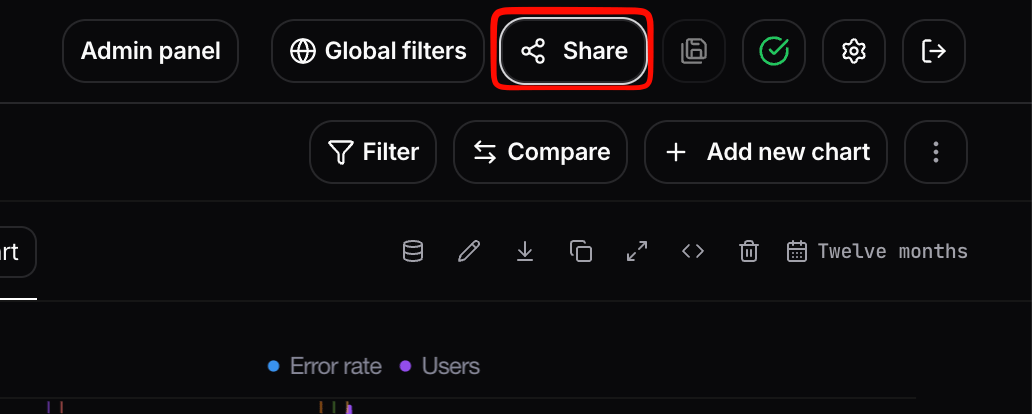
You can generate a shareable link to a report by navigating to the top right of the screen to the **Share** button. The link gives the recipient access to the report without requiring them to log in to Nebuly.
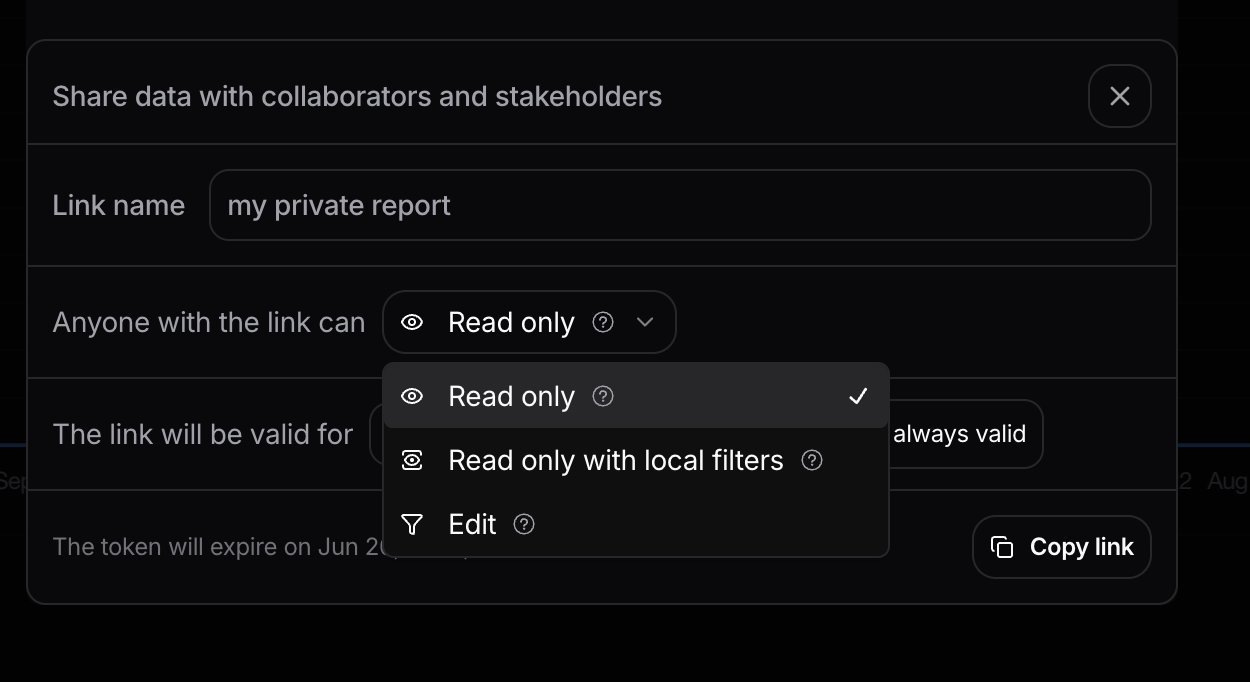
 When sharing a report externally you can configure:
* **Permissions:**
* **Read-only:** the recipient can view the data but cannot make any changes.
* **Edit permissions:** the recipient can customize individual charts within the report. Report-level filters remain locked so they can only see data they are permitted to see.
* **Time-limited access:** set an expiration on the link.
* **Project-based filters:** the link enforces the report's filters, ensuring sensitive data outside the report's scope is never exposed.
When sharing a report externally you can configure:
* **Permissions:**
* **Read-only:** the recipient can view the data but cannot make any changes.
* **Edit permissions:** the recipient can customize individual charts within the report. Report-level filters remain locked so they can only see data they are permitted to see.
* **Time-limited access:** set an expiration on the link.
* **Project-based filters:** the link enforces the report's filters, ensuring sensitive data outside the report's scope is never exposed.
 This is the recommended path when you need to communicate AI initiative results to a wider audience without granting them seats in Nebuly. To share a single interaction or conversation instead of a full report, see [here](/guides/live-data/share-live-data).
## Programmatic access
Reports and charts are also available outside the UI through the **Nebuly MCP Server**, which lets AI assistants query your Nebuly data and create or update reports and charts. You can ask an assistant to list reports, build a new report, or add charts to an existing one, without leaving your assistant.
For setup and the full list of supported tools, see the [here](/guides/nebuly-ai/mcp-server).
This is the recommended path when you need to communicate AI initiative results to a wider audience without granting them seats in Nebuly. To share a single interaction or conversation instead of a full report, see [here](/guides/live-data/share-live-data).
## Programmatic access
Reports and charts are also available outside the UI through the **Nebuly MCP Server**, which lets AI assistants query your Nebuly data and create or update reports and charts. You can ask an assistant to list reports, build a new report, or add charts to an existing one, without leaving your assistant.
For setup and the full list of supported tools, see the [here](/guides/nebuly-ai/mcp-server).