> ## Documentation Index
> Fetch the complete documentation index at: https://docs.nebuly.com/llms.txt
> Use this file to discover all available pages before exploring further.
# Translation
> Translate interactions into a language of your choice in Nebuly.
Interactions in Nebuly can be translated into a language of your choice. This lets you review and analyze conversations that took place in languages you don't read, without leaving the platform.
## Configure the translation language
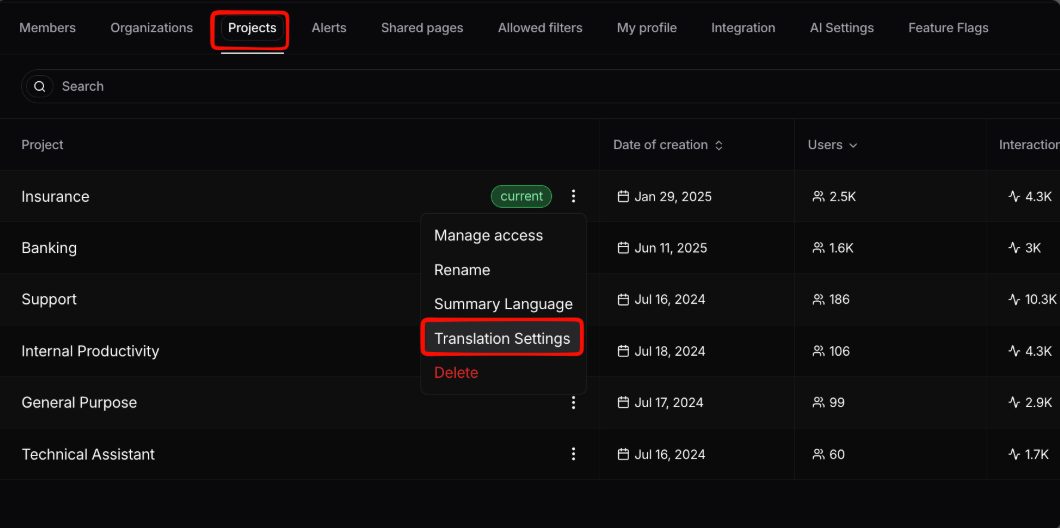
Translation is configured **per project**. Go to **Settings → Projects**, click the three-dot menu next to the project you want to configure, and select **Translation Settings**. From there you can choose the language interactions should be translated into.
 ## Translating an interaction
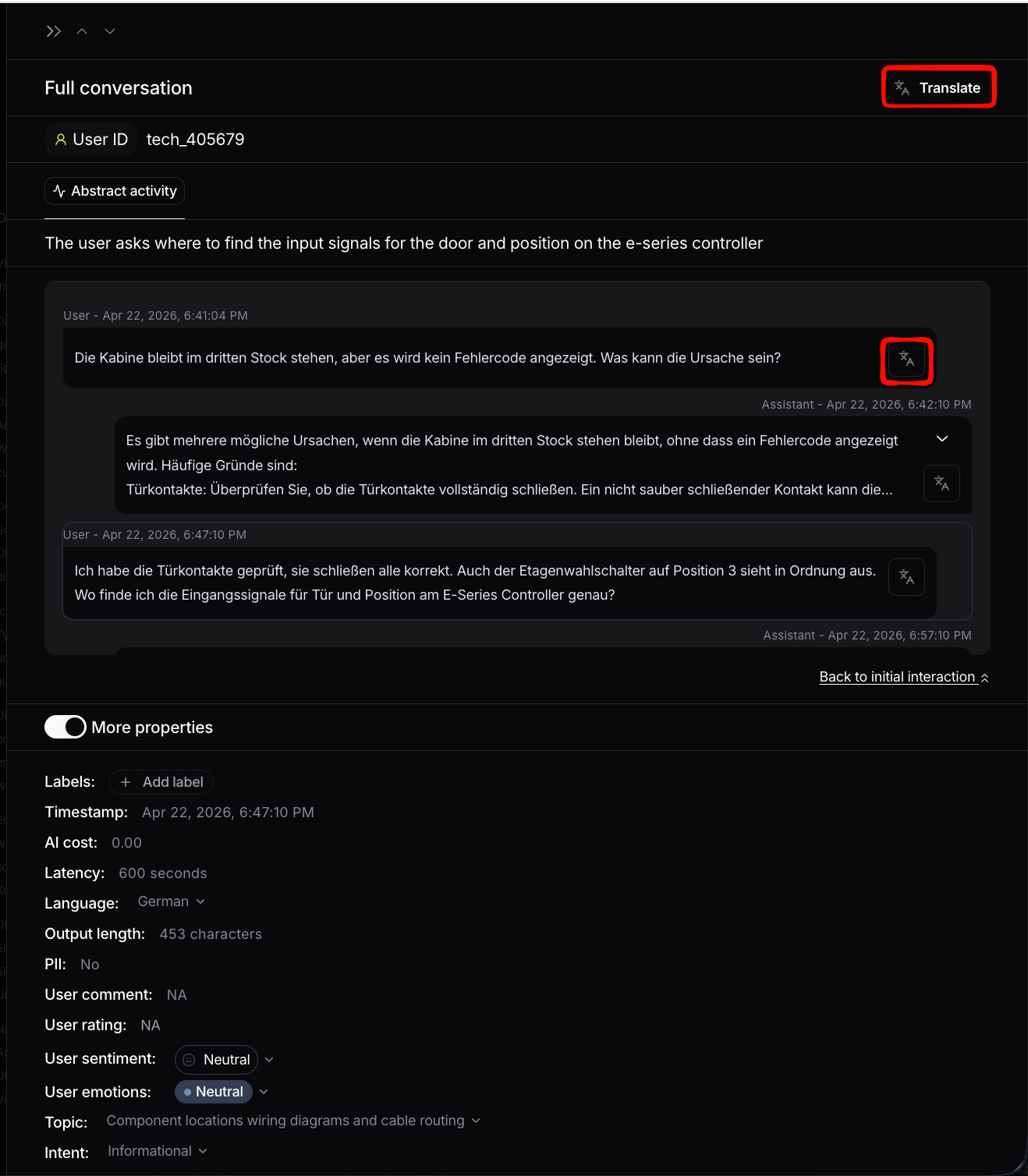
Once translation is configured, you can translate from the interaction details page using the translation button. You can either translate the **whole conversation** or a **single interaction**.
## Translating an interaction
Once translation is configured, you can translate from the interaction details page using the translation button. You can either translate the **whole conversation** or a **single interaction**.