

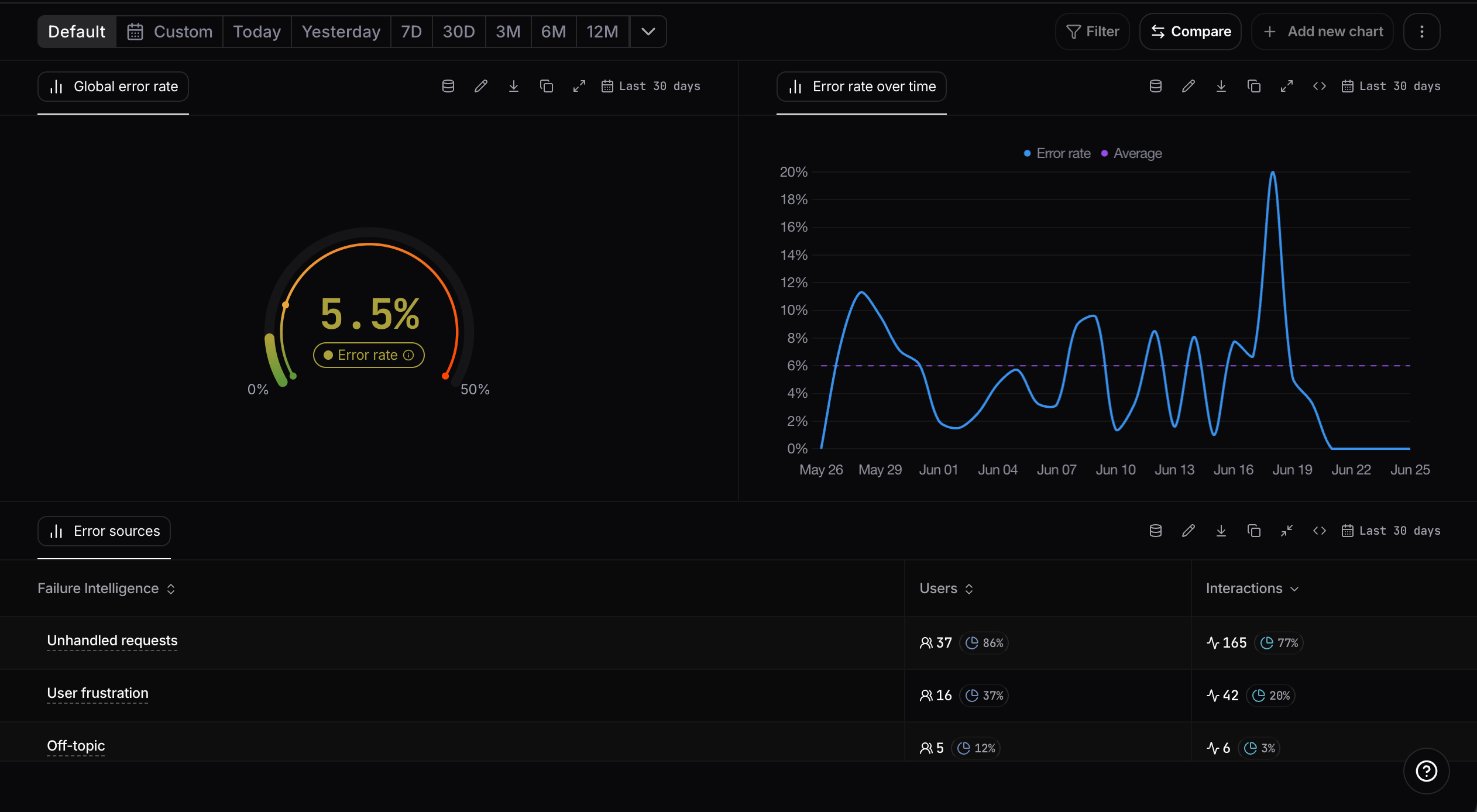
Failure Intelligence overview
What is an error in Nebuly?
In Nebuly, an “error” is defined from the user’s perspective, not the model’s. The platform’s models understand frustration and friction as the user experiences them. A conversation can be technically successful (no exception, no timeout, a syntactically valid response) and still be a failure if the user didn’t get what they came for. This matters because traditional feedback mechanisms can’t see most of these failures. Nebuly closes that gap by treating every interaction as feedback (see What is Nebuly? for the underlying philosophy).How is the error rate computed?
Our platform automatically scans all user conversations to detect signals of failure. Specifically, we analyze three categories of signals:- 🔴 Explicit user feedback: such as thumbs down or negative ratings.
- 🟢 Implicit user feedback: subtle cues within the conversation that indicate dissatisfaction (e.g., phrases like
no, write this betteror repeated rephrasing). - 🟡 LLM answers and steps: we monitor the model’s planning, execution, and responses to detect when and where the LLM fails, whether it’s hallucinating, misunderstanding the prompt, or taking incorrect steps.
Analyzing the error rate
Nebuly ships with a built-in Failure Intelligence report, so you can start analyzing failures right away with no setup. It tracks your overall error rate over time and breaks it down by error type, so you can see which failures are most common and whether they are trending up or down. Like any report in Nebuly, it is a starting point for investigation: right-click any point on the error-rate chart to drill straight into the conversations, interactions, and users behind it. For how this drill-down works, see Navigating Nebuly.Error types
Nebuly automatically classifies errors into a small set of buckets. The defaults are listed below; you can rename, redefine, or move interactions between categories. See Taxonomy for the workflow.- Unhandled Requests: the AI correctly identifies that it cannot answer due to developer-set constraints (safety filters, lack of data access, etc.).
- Empty Response: the model fails to generate any answer.
- User Frustration: detected via sentiment analysis and behavioral signals like rephrasing, repeating, or abandonment.
- Language Problems: issues arising from multilingual support gaps or queries the AI cannot handle in the user’s language.
- Off-topic: user asks questions unrelated to the AI’s intended purpose.
- Task Failure: the AI attempted the user’s task but didn’t complete it correctly (wrong answer, partial result, missed step).
Manually changing an error type
You can move the problems Nebuly identifies from one category to another if you believe a different bucket is a better fit. From that moment on, Nebuly’s models will learn from your modifications and improve future classifications. To do this, open a conversation’s details and edit the Type of problem field.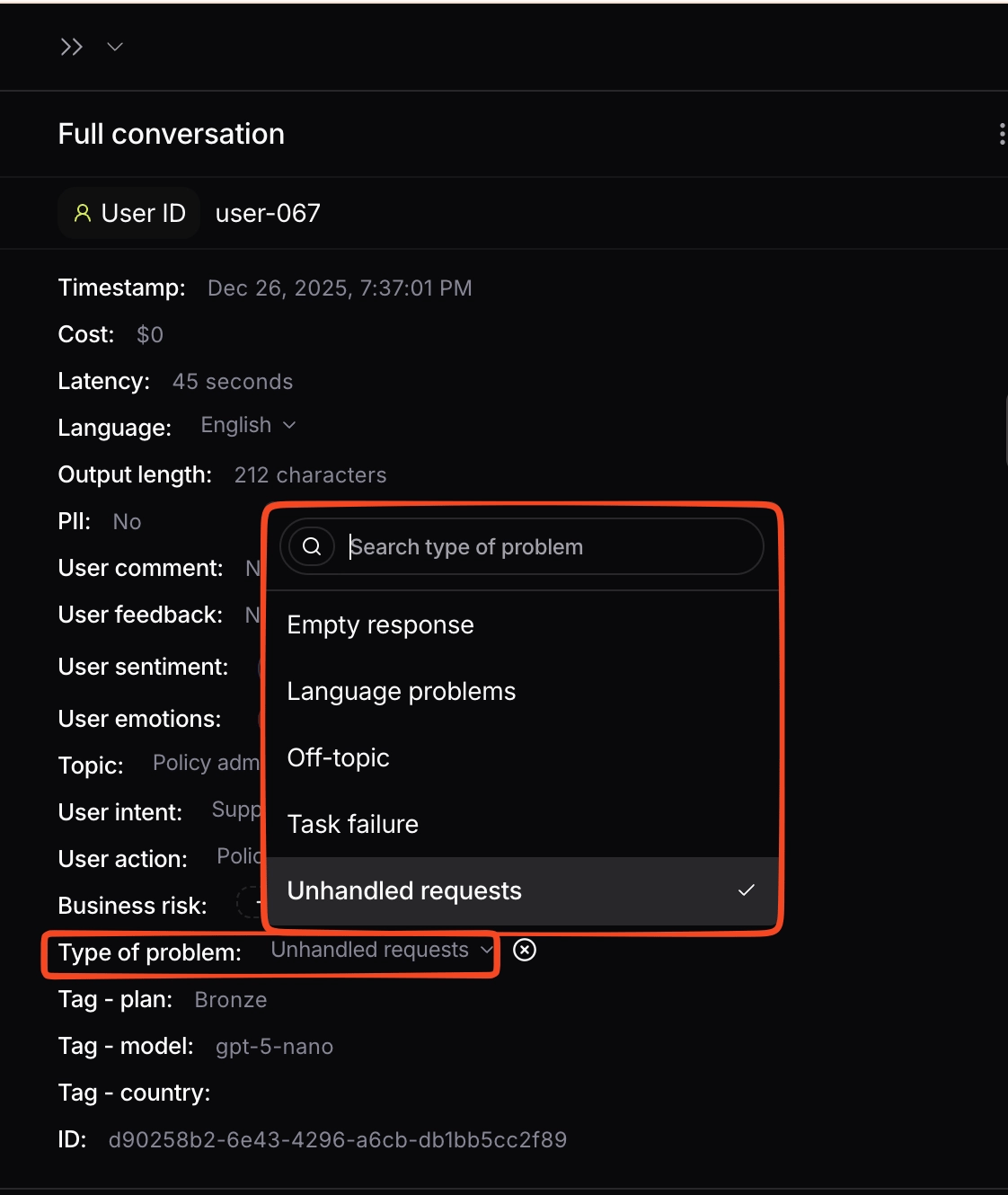
Changing the type of problem on a conversation