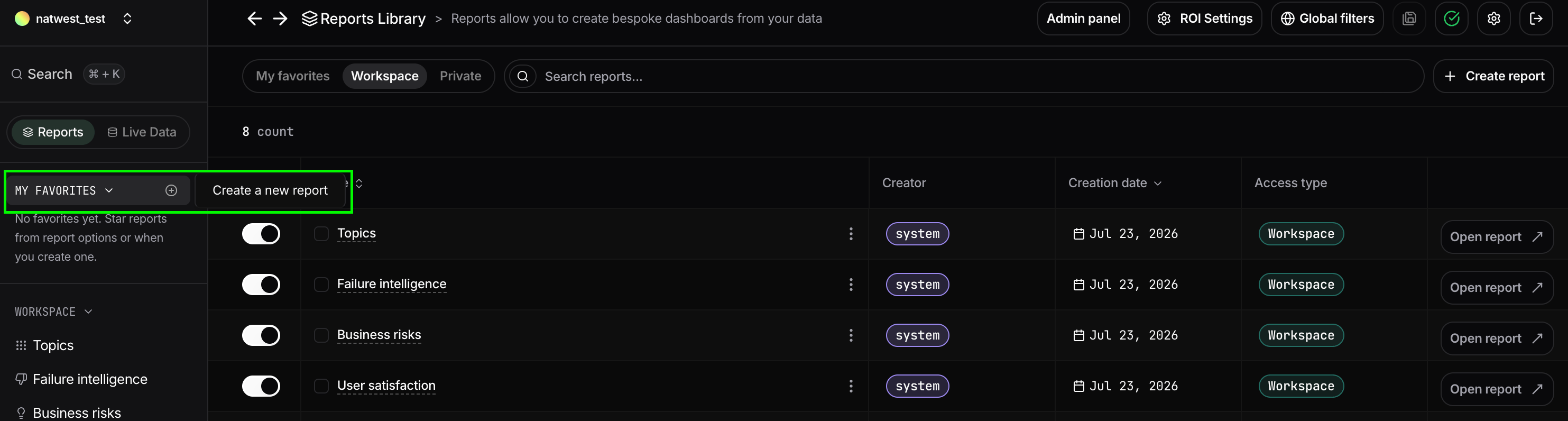
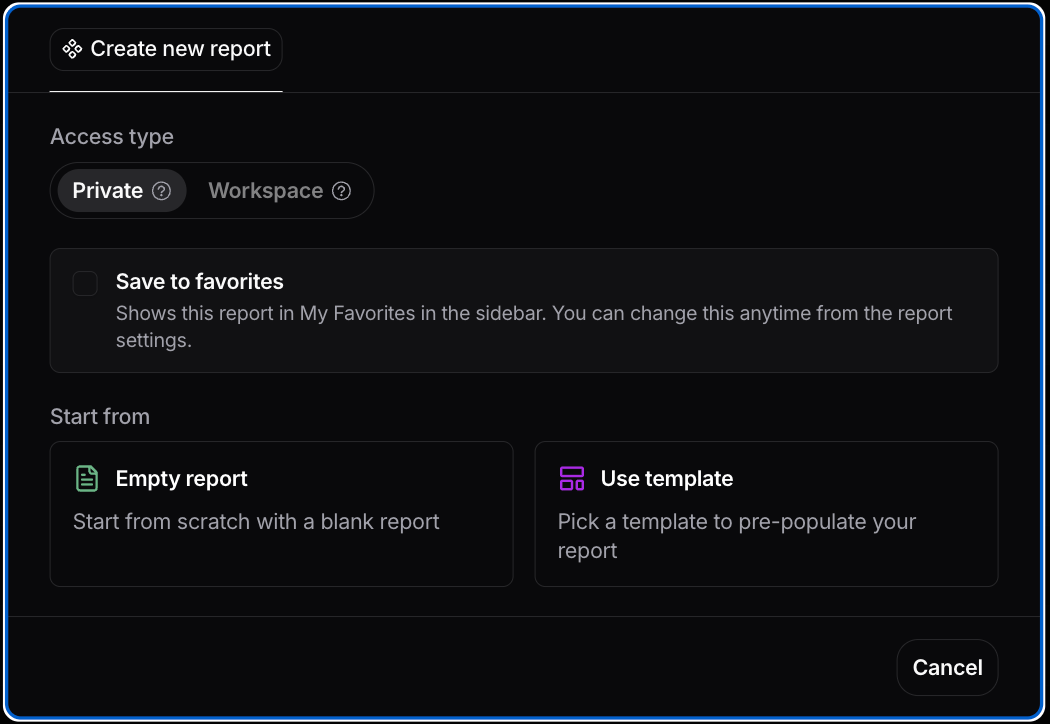
- Set access type: choose Private (only you) or Workspace (everyone on the platform. Only admins can do this).
- Save to favorites: add your report to your favorites.
- Choose a starting point: start from an empty report, or pick a template.
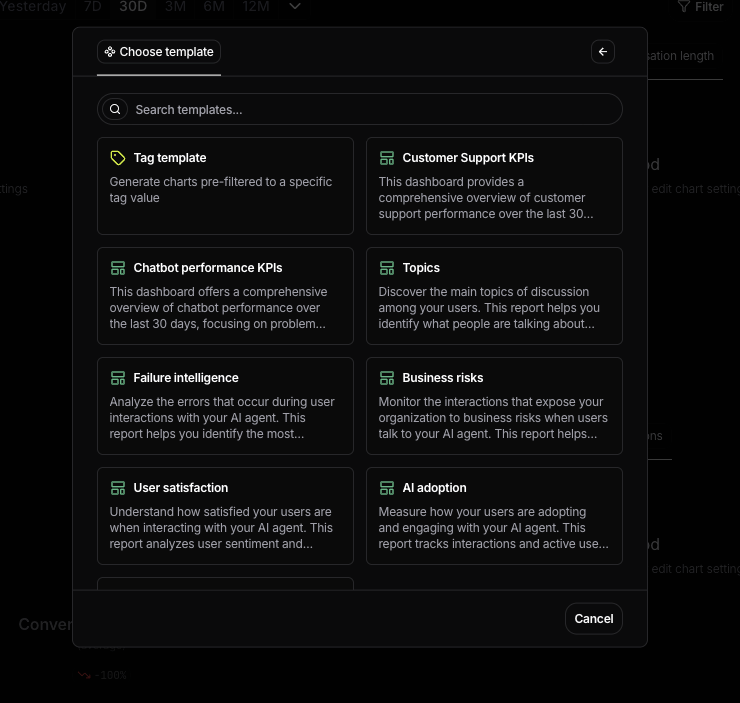
Choosing from Nebuly-provided and admin-created templates
Using Nebuly’s report templates
If you don’t want to start from scratch, Nebuly provides a library of system report templates covering the most common AI analytics use cases. Templates include a curated set of charts, metrics, and filters designed to answer specific business questions. Available templates include reports such as:- Tag templates — Generate reports pre-filtered for a specific tag or business segment.
- Customer Support KPIs — Measure support performance and operational metrics.
- Chatbot Performance KPIs — Monitor key performance metrics such as conversations, users, error rate, bounce rate, and return rate.
- Topics — Understand what users are asking your AI applications.
- Failure Intelligence — Analyze where and why conversations fail.
- Business Risks — Monitor interactions that expose operational or business risks.
- User Satisfaction — Track sentiment, satisfaction, and user experience.
- AI Adoption — Measure usage, engagement, and active users.
- AI Proficiency — Measure how effectively employees interact with AI and identify upskilling opportunities.