

Configure the translation language
Translation is configured per project. Go to Settings → Projects, click the three-dot menu next to the project you want to configure, and select Translation Settings. From there you can choose the language interactions should be translated into.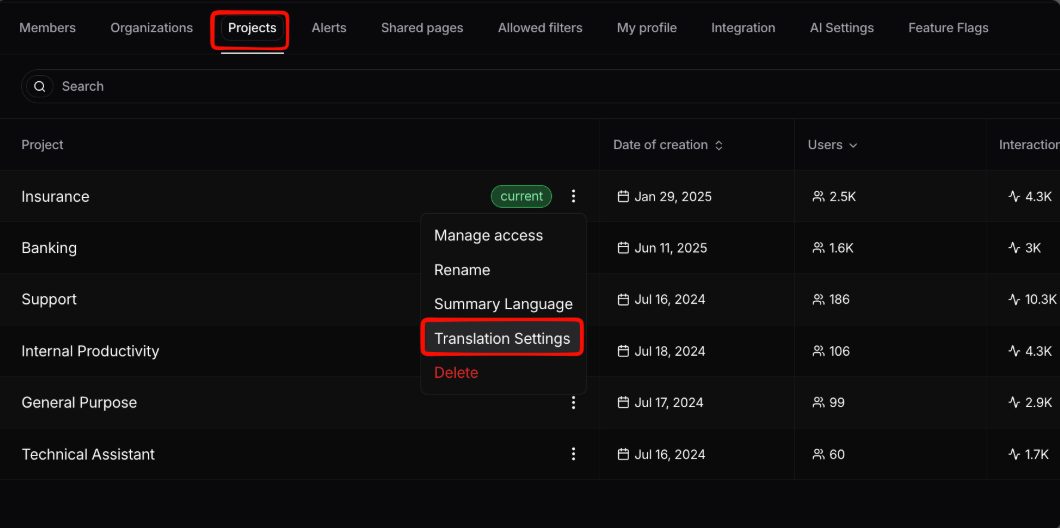
Opening Translation Settings for a project from Settings → Projects
Translating an interaction
Once translation is configured, you can translate from the interaction details page using the translation button. You can either translate the whole conversation or a single interaction.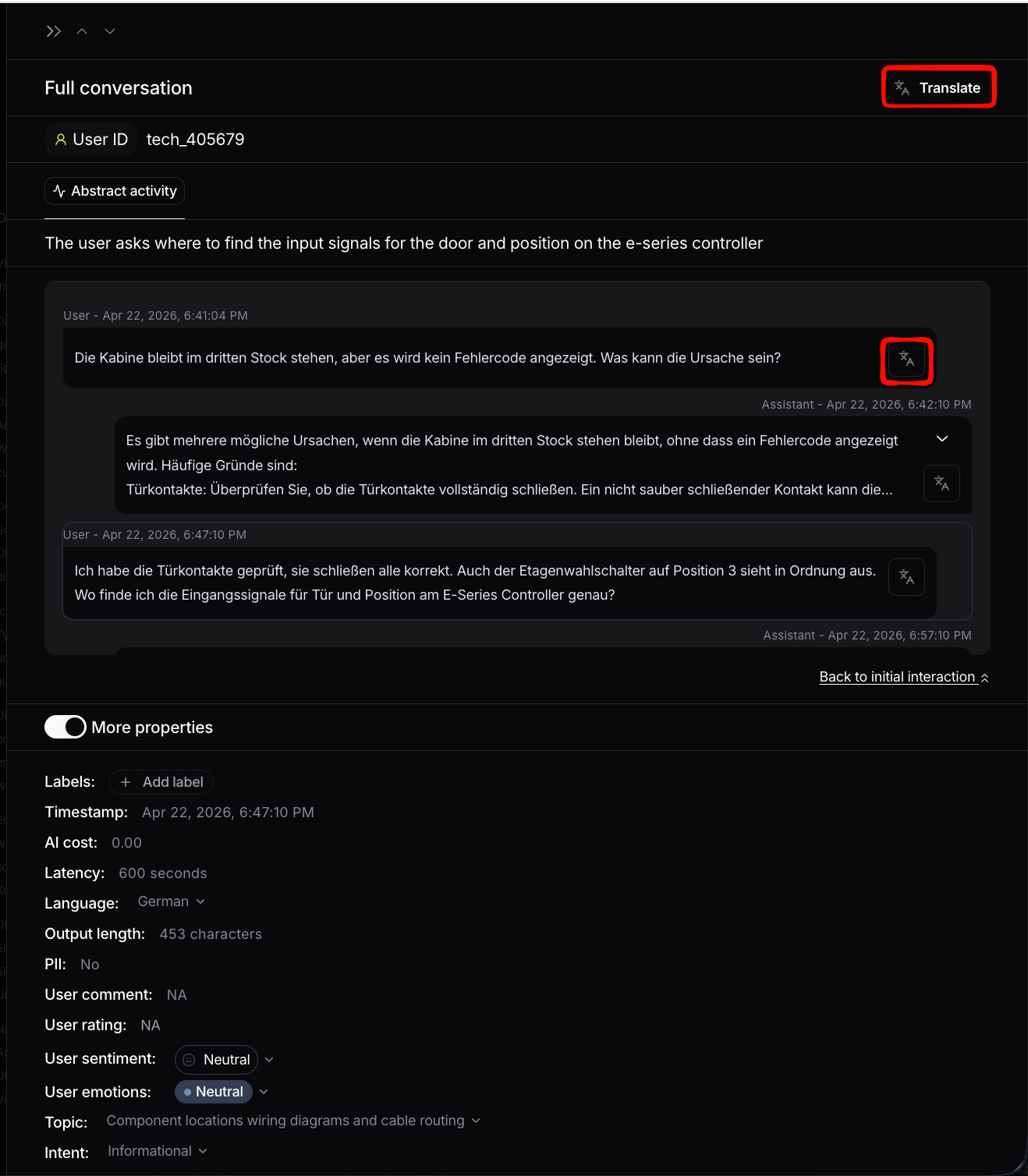
The translation button on the interaction details page