

Managing organizations
Creating an organization
Organizations are typically created during onboarding by your Nebuly administrator or account team. Each organization is completely isolated from every other organization, making it suitable for separating production and development environments, business entities, or customers.Managing organization members
Organization administrators can invite new members, remove existing users, and assign organization roles. Membership in an Organization does not automatically grant access to every project—project access is managed independently.Organization settings
Organization-level settings apply to every project within the Organization. These include:- Authentication and Single Sign-On (SSO)
- Organization members and roles
- Alerts and notifications
- Organization-wide preferences
Managing Projects
A Project is the workspace where conversations are ingested, analyzed, and reported.Creating a project
Create a root project when you want to analyze a new AI application or ingest conversations from a new data source. As part of the setup, you’ll choose whether the project is employee-facing or customer-facing, depending on who uses the AI application. Your selection determines which modules and features are available for the project, and you can change it at any time from the project settings. Each root project stores its own interactions and configuration, including reports, taxonomies, processing settings, ROI configuration, and API keys. Once created, you can start sending interactions to the project using the Interaction API.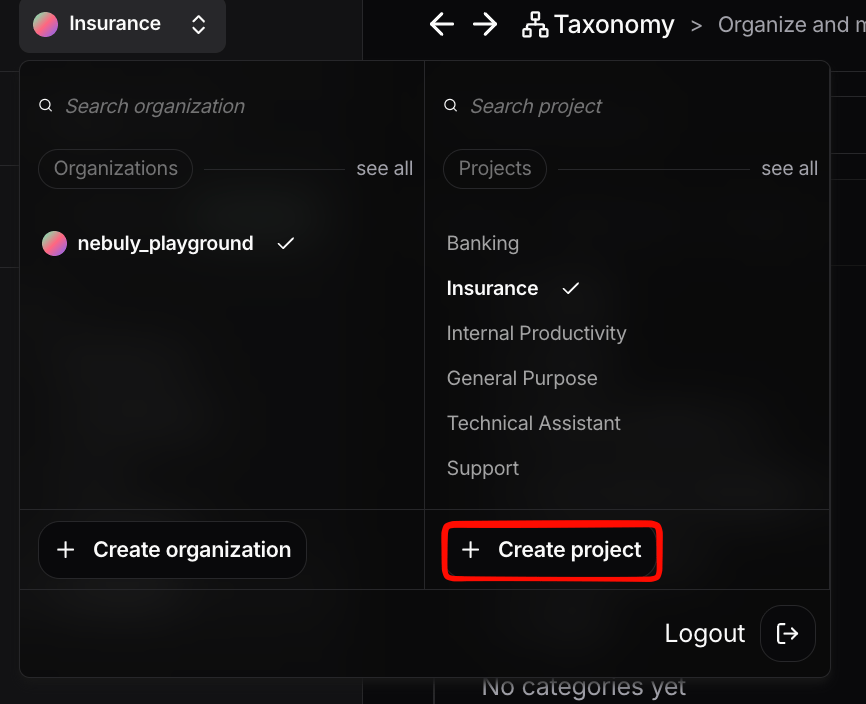
Creating a root project
Creating a sub-project
A sub-project creates a filtered view of an existing root project. To create one:- Open the parent root project.
- Apply the global filters that define the subset of data.
- Click Save as project.
- Enter a project name.
- Confirm.
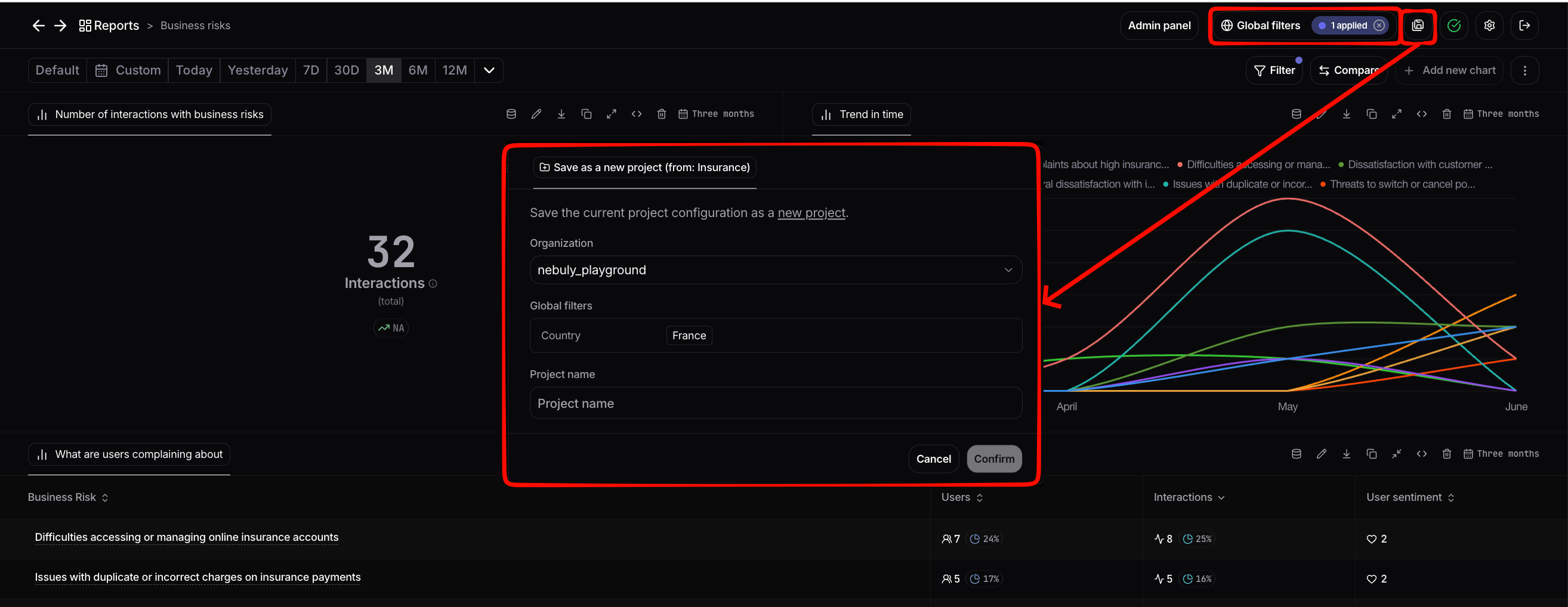
Creating a sub-project
Managing project access
By default, new users may be granted access to all projects in the Organization, but this can be restricted on a per-project basis to maintain focus and security. To change which users have access to a specific project, an Admin can open the project’s settings and adjust the access list. Project-level access is governed by RBAC and is independent of Organization-level membership. A user can be a member of an Organization without having access to every project inside it.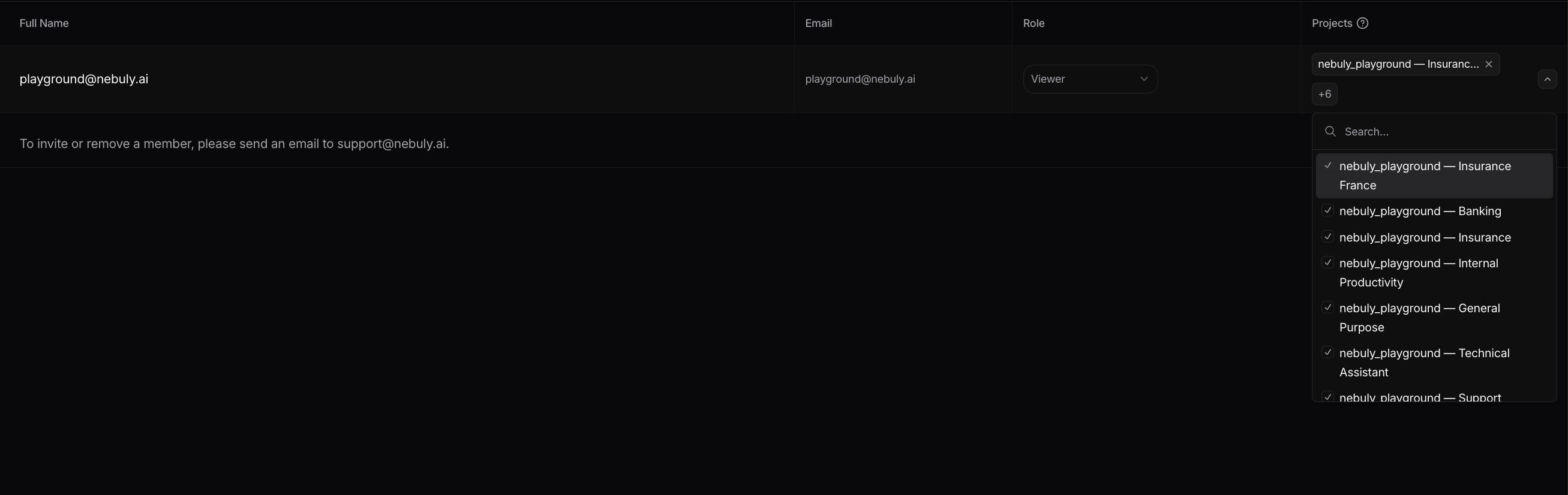
Selecting the projects a user can access
Key Management Features
Nebuly is designed to securely separate data across organizations and projects.- Organizations provide complete isolation. Each Organization has its own users, authentication (SSO), settings, alerts, and data. Information is never shared across Organizations.
- Root projects contain the actual conversation data and have their own analytics configuration, including taxonomies, AI ROI, AI Proficiency, and processing settings.
- Sub-projects inherit data from a root project through global filters, allowing different teams to analyze specific subsets of the same data without duplication.
- Permissions are managed independently at both the Organization and Project levels using Role-Based Access Control (RBAC). This lets administrators control who can access each project while maintaining centralized organization management.