View conversation details
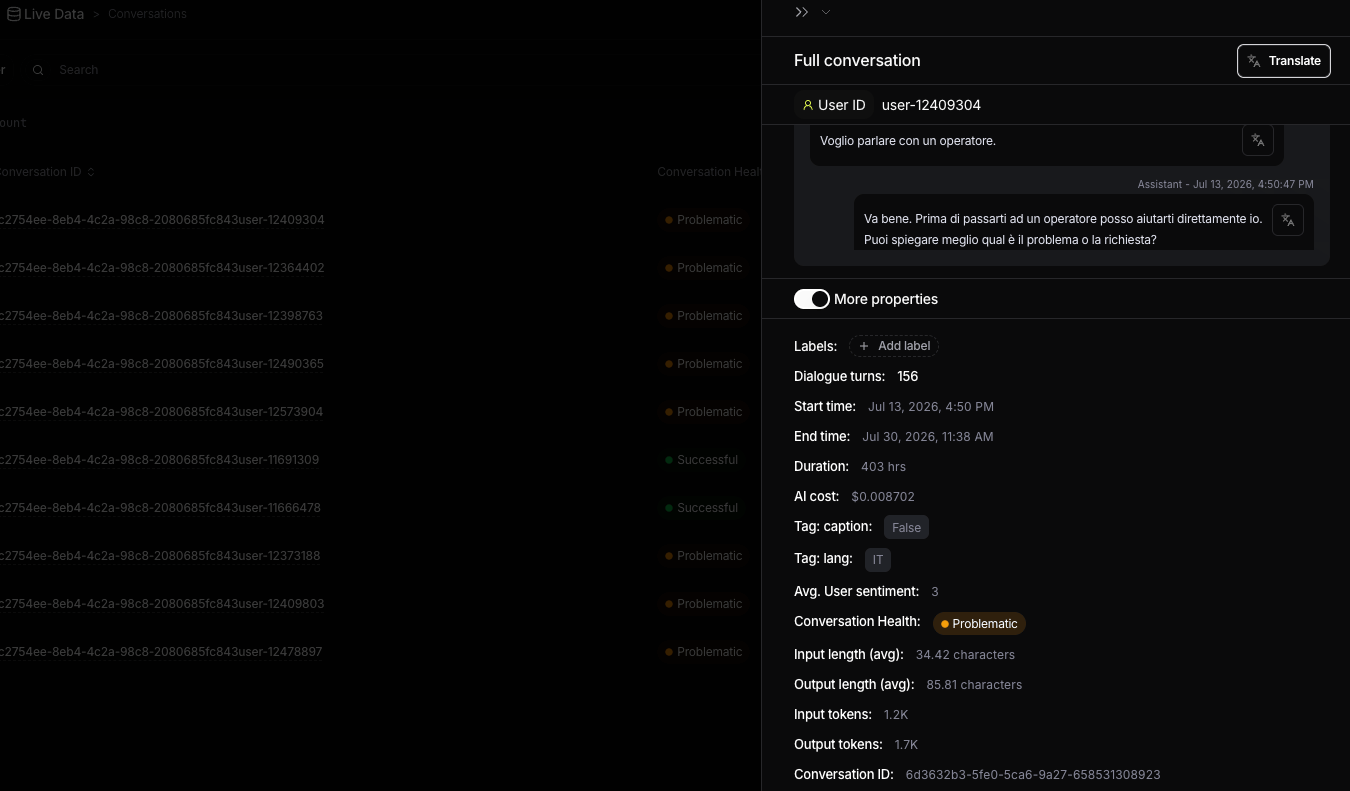
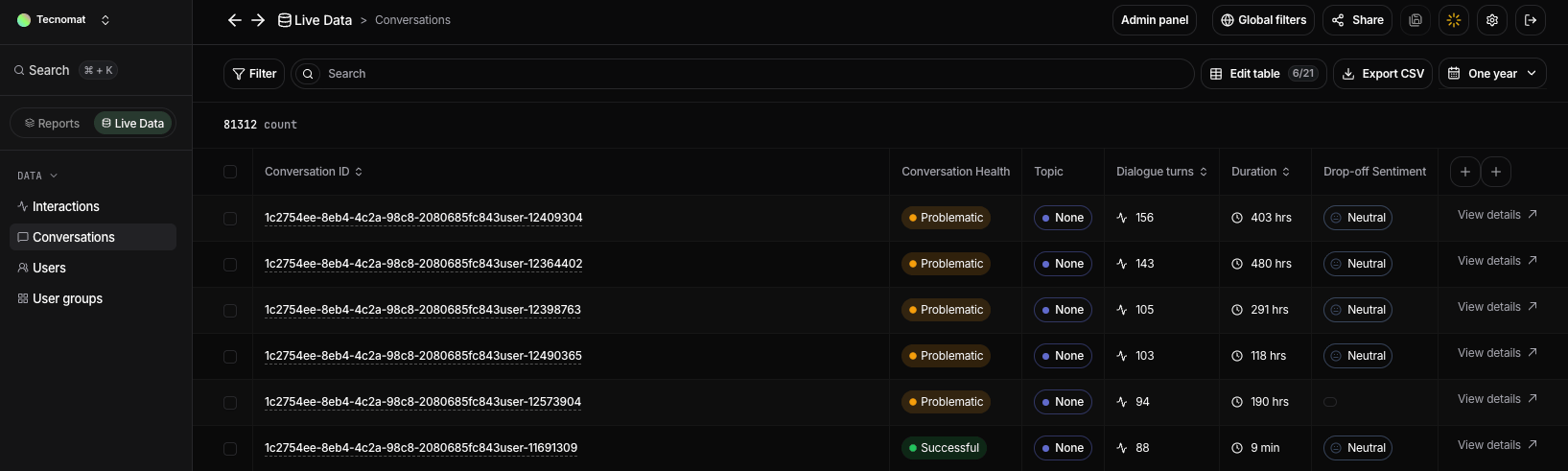
Select View details to open the complete conversation. The details view lets you review every interaction in chronological order and understand how the user’s request developed across the thread. You can inspect the user’s messages, the assistant’s responses, and the properties associated with individual interactions. This is useful when investigating problematic conversations, reviewing long user journeys, or understanding the context behind a specific interaction.Conversation details
Select View details to open the conversation details panel. The panel displays the complete conversation in chronological order, allowing you to review the full exchange between the user and your AI application without leaving the table. If the conversation is in a different language, you can use Translate to view it in your preferred language. Expand More properties to see everything Nebuly knows about the conversation, so you can investigate it without leaving the panel. This includes:- Conversation timing: the start time, end time, total duration, and number of interactions turns.
- Health and sentiment: the conversation health status and average user sentiment across the conversation.
- Technical metrics: total AI cost, average input and output length, and total input and output tokens.
- Tags and metadata: labels, language, custom tags, and other business context associated with the conversation.
- Identifiers: the user ID and conversation ID, which you can use to trace the conversation across your systems.