

Tagging and enrichment overview in Nebuly
Technical implementation
Tagging is handled via the Interaction API, specifically thetrace_interaction endpoint. Metadata is sent as a tags object consisting of key-value pairs associated with a specific interaction:
RAG sources
If your agent retrieves context (a RAG pipeline, a database lookup, a search tool), you can send the data sources it used alongside each interaction. Like tags, this adds context Nebuly cannot infer from the transcript alone, this time about where the answer came from. RAG sources are sent through the Interaction API as retrieval steps in the interaction’straces. Each retrieval records the source that was queried, the query sent to it, and the results returned:
Where tags appear in Nebuly
Once tags are ingested, they populate several key areas within the Nebuly platform to help you “see the forest for the trees”:1. Advanced filtering and segmentation in reports and in the Nebuly UI
Tags become immediately available as filters throughout the platform. This allows you to slice your data to see, for example, onlyFinance department interactions where users expressed Frustration.
For details see our documentation on filtering and searching.
2. ROI & “hours-saved” reports
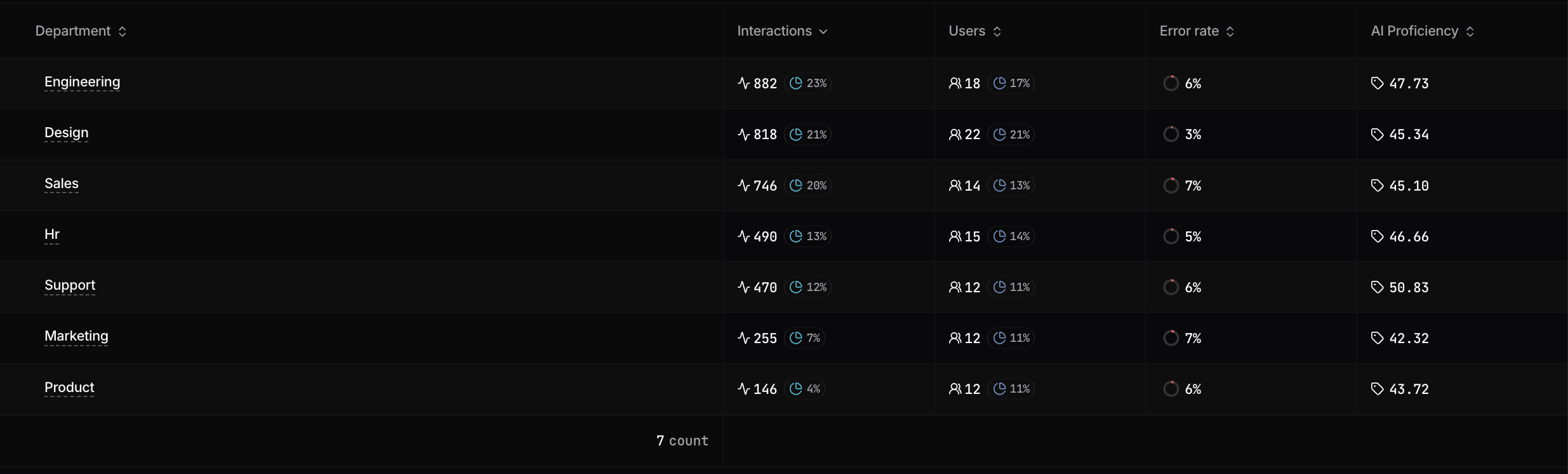
By tagging interactions with adepartment or role, Nebuly can calculate the specific Business Case for AI. For instance, you can view a report showing that the Engineering department saved 450 hours this month, whereas Legal saved only 20, signaling a need for better legal-specific training.